
















- Home
- Tech & Audio
- Wi-Fi, Computer & Phone
- Cosari DockCore 12


Cosari
Cosari DockCore 12
Free tracked shipping to the US
- 12 Precision Ports: Dual 4K HDMI, 1080p VGA
- Zero Thermal Flicker: Machined 6063 aircraft aluminum bar
- Driverless Plug & Play: Instant wake on Windows
- Free tracked shipping to the US · delivery times
- 30-day returns · refund policy
- Secure checkout · card, Apple Pay, Google Pay, Shop Pay, PayPal
- Questions? contact@cosarit.com · Mon–Fri 9–17 ET

Features

1. Wire Your Peripherals Once Into the Rear Deck
Plug your HDMI monitors, Gigabit Ethernet cable, USB-C wall charger, webcam, and mouse receiver directly into the precision-milled 12-port rail. Everything stays anchored on your desk—no more fishing behind furniture for dropped cords.

2. Click One Braided USB-C Cord Into Your Laptop
Within four seconds of connecting the reinforced nylon USB-C host plug, your external monitors wake in crisp resolution, wired fiber internet locks at 1000Mbps, and 87W clean power flows into your battery.

3. Rest Your Laptop on the 8° Cooling Wedge
Set the rear edge of your laptop onto the flush matte-black silicone rails—or tuck the bar neatly under your monitor riser. The anodized 6063 aluminum shell dissipates heat silently at 0 dBA all day long.
Aircraft-Grade 6063 Aluminum Heatsink
Runs 18°C cooler than cramped plastic dongles—eliminating thermal chip resets and three-second monitor blackouts during critical calls.
Zero Drivers, Zero 2-Pound Power Brick
Native hardware plug-and-play works on locked corporate laptops and pairs with your own USB-C charger so it travels flat in any backpack.
Dual 4K HDMI + VGA Triple Video
Drive crisp 4K UHD monitors via dual HDMI 2.0 ports plus a third 1080p VGA display for spreadsheets, timelines, and code—zero third-party drivers needed.
100W Pass-Through Power Delivery
Delivers up to 87W of surge-protected fast charging to your laptop while dedicating 13W to internal ports so external SSDs never brown out.
1000Mbps Realtek Gigabit Ethernet
Bypass spotty home-office Wi-Fi instantly. Hardwire Cat6 directly into the dock for rock-solid Zoom screen-shares and sub-millisecond ping.
4× USB 3.0 + Dual SD/TF Slots
Transfer RAW media at 5Gbps across four EMI-shielded USB 3.0 ports, dual UHS-I SD/MicroSD card slots, and a noise-isolated 3.5mm headset jack.
How to use it
- 1
Step 1: Dock Your Desk Cords Once
Place the aluminum DockCore 12 bar on your desk and plug in your HDMI screens, Cat6 Ethernet, USB accessories, and USB-C power cord.
- 2
Step 2: Set Laptop & Click One Plug
Rest the back edge of your laptop on the non-slip silicone rails and plug the single braided USB-C host cable into your side port.
- 3
Step 3: Work Across Every Screen
Enjoy instant multi-monitor clarity, 1000Mbps wired Ethernet, and 87W fast charging on a clutter-free architectural desk.


In the box
- 1 × Cosari DockCore 12 CNC Aluminum Docking Station Bar
- 1 × Integrated Braided Nylon High-Speed USB-C Host Cable
- 1 × Desk Cable Routing Clip Set
- 1 × Illustrated Quick-Start & Multi-Display Port Guide
Care & safety
- Connect your 65W–100W USB-C PD laptop wall adapter to the dock's dedicated PD input port when driving multiple external monitors and bus-powered SSDs simultaneously.
- Wipe the anodized aluminum housing and black silicone grip rails periodically with a dry microfiber cloth to maintain maximum anti-slip desk traction.
Specifications
- —
- ['Chassis Material', '2.1mm CNC-Anodized 6063 Space-Gray Aluminum + Silicone Grip Rails']
- —
- ['Power Delivery', '100W USB-C PD Input (Up to 87W Host Charging + 13W Bus Reserve)']
- —
- ['Wired Networking', 'RJ45 Gigabit Ethernet (10/100/1000Mbps Auto-Negotiation)']
- —
- ['USB Data Ports', '4 × USB 3.0 Type-A (Up to 5Gbps, EMI-Shielded)']
- —
- ['Card Readers & Audio', 'SD + MicroSD (TF) UHS-I Slots & 3.5mm Stereo Audio/Mic Combo Jack']
- —
- ['Dimensions & Weight', '280 × 80 × 17 mm (11.0 × 3.1 × 0.67 in) • 295 g (10.4 oz)']
- —
- ['Host Compatibility', 'USB-C (DP Alt-Mode), USB4, Thunderbolt 3 / 4 (Plug & Play, 0 dBA)']
Questions
Will the Cosari DockCore 12 work with my MacBook Pro/Air, Dell XPS, Lenovo ThinkPad, or HP?
Yes. It works natively with any laptop featuring a full-function USB-C (DisplayPort Alt-Mode), USB4, or Thunderbolt 3/4 port—including MacBook Pro and Air (M1/M2/M3/M4 & Intel), Dell XPS/Latitude, Lenovo ThinkPad/Yoga, HP EliteBook/Spectre, Microsoft Surface, and iPad Pro.
Do I need to install DisplayLink or any drivers on my work laptop?
No drivers or admin passwords are required. The DockCore 12 uses hardware-native USB-C Alt-Mode, Gigabit Ethernet, and USB 3.0 protocols, so corporate IT-locked laptops recognize every port within seconds of plugging in.
Does it come with an AC power brick, or do I use my laptop's USB-C charger?
To keep your desk and backpack free of two-pound power bricks, the DockCore 12 uses pass-through USB-C Power Delivery. Simply plug your existing 65W–100W USB-C laptop wall charger into the dock's 100W PD input port—it delivers up to 87W straight to your laptop while reserving 13W so connected drives never flicker.
How much is shipping?
Shipping to the US is free and tracked. You get a tracking number by email when your order ships. See the shipping policy for delivery times.
Can I return it?
Yes, within 30 days of delivery. Details are in our refund policy.
Who sells this product?
Cosari is run by Interactive Ecommerce LLC, Sheridan, Wyoming. Questions: contact@cosarit.com, Monday to Friday, 9:00–17:00 ET.
More in Tech & Audio
See all 15-
Best seller
 OneOdio A Series Hybrid ANC Headphones
€139,95
Free US shipping
-
 Rillwerk One Turntable
From €185,95
Free US shipping
-
 Cosari CaddieSound Pro — 15W Magnetic Golf Cart Bluetooth Speaker (IPX7)
€55,95
Free US shipping
-
 Cosari PitchLock Pro
From €23,95
Free US shipping
-

 Cosari Reach 1200 Wi-Fi Extender
€74,95
Free US shipping
-
 Cosari BeamLink AX1800
€23,95
Free US shipping
-
Best seller
 Cosari SkyLink 360 Pro
From €36,99
Free US shipping
-
 Cosari HyperLink 48G
From €23,95
Free US shipping
-
 Cosari AeroLock 62
€23,95
Free US shipping
-
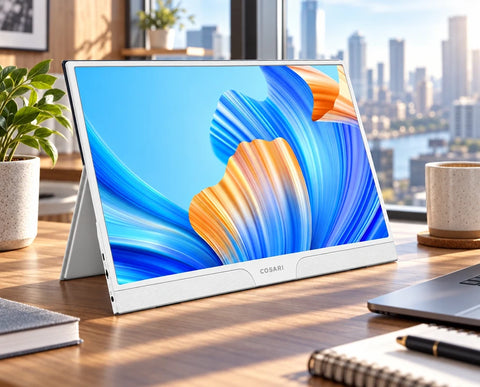 Cosari SlateView 16 Pro – 15.6" 2.5K QHD 120Hz IPS Portable Monitor with Single-Cable USB-C Power, Kickstand & Smart Cover
€130,95
Free US shipping


Best sellers
-
Best seller

 B-Pro
€118,95
Free US shipping
-
Best seller

 Cosari Epilator
€117,99
Free US shipping
-
Best seller
 Cosari Pro 360°
€138,95
Free US shipping
-
Best seller

 Klarsyn One Window Cleaning Robot
From €158,95
Free US shipping
-
Best seller
 FisioRest Heated Neck Pillow
€82,95
Free US shipping
-
Best seller
 Cosari EdgePro X1 — 3-Stage Tungsten, Diamond & Ceramic Knife Sharpener
From €37,95
Free US shipping
-
Best seller
OneOdio A Series Hybrid ANC Headphones
€139,95
Free US shipping
-
Best seller
Cosari SkyLink 360 Pro
From €36,99
Free US shipping


