












- Startseite
- Elektronik
- WLAN, Computer und Handy
- Cosari BeamLink AX1800




Cosari
Cosari BeamLink AX1800
Gratisversand mit Sendungsverfolgung
- Up to 1800 Mbps dual-band WiFi 6
- Pre-loaded driver, no CD or internet needed
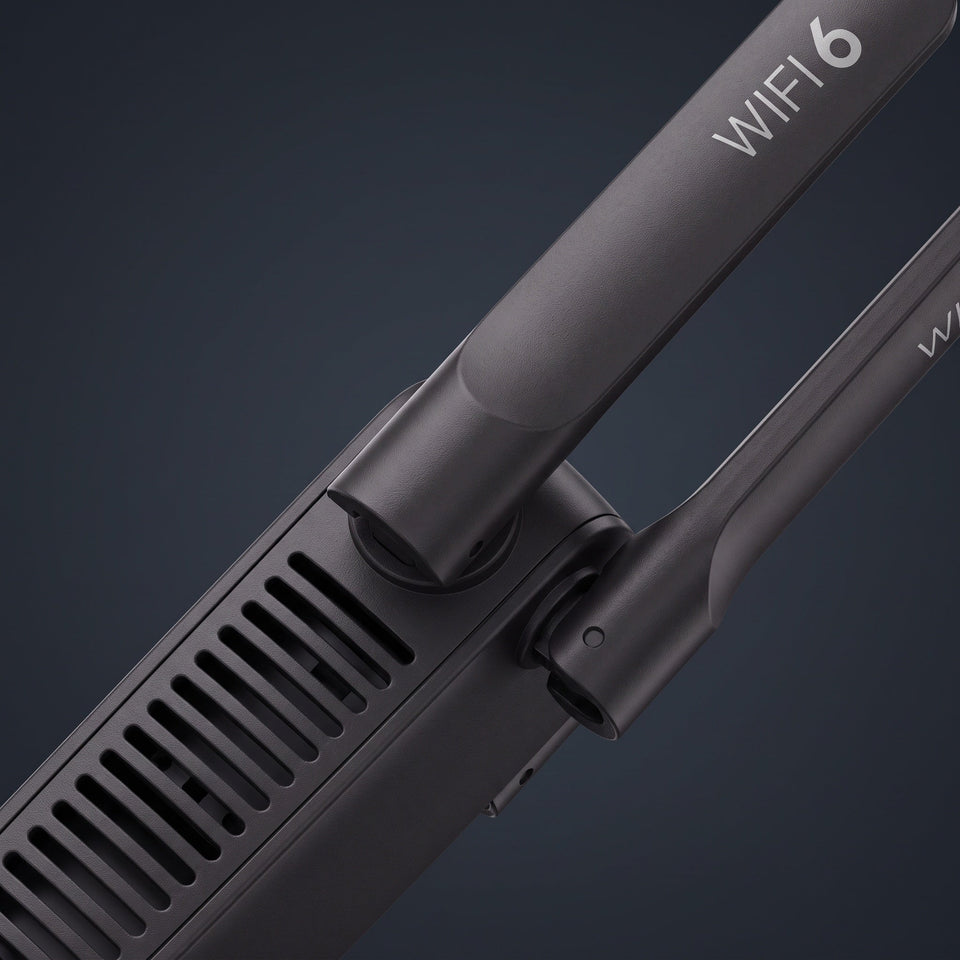
- Dual 5dBi high-gain folding antennas
- Vented chassis that resists throttling
- Gratisversand mit Sendungsverfolgung · Lieferzeiten
- 30 Tage Rückgaberecht · Rückgabebedingungen
- Sicher bezahlen · Kredit- und Debitkarte, Apple Pay, Google Pay, Shop Pay, PayPal
- Fragen? contact@cosarit.com · Mo–Fr, 9–17 Uhr ET

Merkmale

Antennas That Clear the Case
A steel PC tower blocks WiFi. Rotate both 5dBi antennas upright and they rise above the case, aiming the signal toward your router instead of into metal.

A Port That Isn't a Bottleneck
The USB 3.0 plug with its blue SuperSpeed insert connects at 5Gbps. The slim 18mm neck leaves room for the receiver or cable next to it.
Steady Under Household Load
MU-MIMO and OFDMA let your router serve the PC alongside phones and TVs. We logged zero dropped packets with two 4K streams running.
WPA3 Security
Supports the latest WPA3 encryption, so your PC connects with the same protection your router offers to everything else.
1201 Mbps on 5GHz
Dual-band WiFi 6 delivers up to 1201 Mbps on 5GHz plus 574 Mbps on 2.4GHz, with 1024-QAM, OFDMA, and MU-MIMO to keep speed steady when the whole house is online.
Dual 5dBi Antennas
Two high-gain paddle antennas fold to firm 90° and 180° detents and stay put, lifting the signal clear of your steel PC case.
USB 3.0 SuperSpeed
A 5Gbps USB 3.0 interface gives the radio more than ten times the bus bandwidth of USB 2.0, so the port never holds back your connection.
Driver on the Stick
The Windows 10/11 driver lives on built-in flash memory. Plug in, click Setup.exe, and connect in under a minute without internet or a CD drive.
Mehr Details
The Cosari BeamLink AX1800 is a dual-band WiFi 6 USB 3.0 adapter for desktop PCs and laptops, for users whose built-in wireless is slow, missing or too far from the router. Two folding 5dBi antennas lift the signal above the PC case, side vents let heat escape from the chipset, and the driver is stored on the adapter's built-in flash memory, so it installs without a CD or an internet connection.
Specifications
- Plug neck: tapers to 18mm at the USB plug, leaving room for the neighboring port
- Wireless standard: WiFi 6 (802.11ax), backward compatible with 802.11ac/n/a/g/b
- Speed: up to 1201 Mbps (5GHz) + 574 Mbps (2.4GHz)
- Interface: USB 3.0 Type-A (5Gbps)
- Driver: Windows 10 and Windows 11 only (no macOS or Linux driver)
- Antennas: 2 × 5dBi folding antennas with 90° and 180° detents
- Technologies: OFDMA, MU-MIMO, 1024-QAM, beamforming
- Security: WPA3, WPA2, WPA
- Modes: station and soft-AP hotspot
In the box
- 1 × Cosari BeamLink AX1800 dual-band USB 3.0 adapter
- 1 × protective USB connector cap
- 1 × quick-start and power-save setup guide
So verwenden Sie es
- 1
Plug It In
Insert the adapter into a blue USB 3.0 port, ideally on the top panel of your tower where the case won't block the signal.
- 2
Click Setup
Open the drive that appears in File Explorer and run Setup.exe. No internet or CD needed. It finishes in under a minute.
- 3
Raise the Antennas
Rotate both antennas upright to 90°, connect to your 5GHz network, and run a Speedtest to see the difference.


Lieferumfang
- 1 × Cosari BeamLink AX1800 Dual-Band WiFi 6 USB 3.0 Adapter
- 1 × Protective USB Connector Cap
- 1 × Quick-Start & Windows Power-Save Setup Guide
Pflege & Sicherheit
- Plug into a blue USB 3.0 port for full speed. A black USB 2.0 port works but limits throughput to well under 480 Mbps.
- Keep the side vents uncovered, and if your connection drops after idle periods, turn off USB power saving for the adapter in Windows Device Manager.
Technische Daten
- Wireless Standard
- WiFi 6 (802.11ax), backward compatible with 802.11ac/n/a/g/b
- Speed
- Up to 1201 Mbps (5GHz) + 574 Mbps (2.4GHz)
- Interface
- USB 3.0 Type-A (5Gbps)
- Antennas
- 2 × 5dBi high-gain folding antennas (90°/180° detents)
- Technologies
- OFDMA, MU-MIMO, 1024-QAM, beamforming
- Security
- WPA3, WPA2, WPA
- Modes
- Station and Soft-AP hotspot
- OS Support
- Windows 10 and Windows 11 (driver stored on device)
Fragen
Will it work with my older WiFi 5 router?
Yes. It's backward compatible with 802.11ac and 802.11n routers. You'll get WiFi 6 features like OFDMA only with a WiFi 6 router, but it still connects and performs well on older ones.
Does it work on Mac or Linux?
The included plug-and-play driver supports Windows 10 and Windows 11 only. If you need macOS or Linux, look at a model with dedicated driver support for those systems.
Why does my connection drop every so often?
The usual cause is Windows putting the USB port to sleep. Open Device Manager, find the adapter, go to Power Management, and uncheck 'Allow the computer to turn off this device to save power.' The Quick-Start guide in the box shows this step.
Was kostet der Versand?
Der Versand ist kostenlos und erfolgt mit Sendungsverfolgung. Sobald Ihre Bestellung verschickt wurde, erhalten Sie die Sendungsnummer per E-Mail. Die Lieferzeiten finden Sie in unseren Versandbedingungen.
Kann ich das Produkt zurückgeben?
Ja, innerhalb von 30 Tagen nach Erhalt. Alle Details finden Sie in unseren Rückgabebedingungen.
Wer verkauft dieses Produkt?
Cosari wird von der Interactive Ecommerce LLC mit Sitz in Sheridan, Wyoming, betrieben. Bei Fragen erreichen Sie uns unter contact@cosarit.com, Montag bis Freitag, 9:00–17:00 Uhr ET.
Mehr aus der Kategorie Elektronik
Alle anzeigen 15-
Bestseller
 OneOdio A Series Hybrid ANC Headphones
€138,95
Gratisversand
-
 Rillwerk One Turntable
Ab €184,95
Gratisversand
-

 Cosari CaddieSound Pro — 15W Magnetic Golf Cart Bluetooth Speaker (IPX7)
€55,95
Gratisversand
-

 Cosari PitchLock Pro
Ab €23,95
Gratisversand
-

 Cosari Reach 1200 WLAN-Repeater
€74,95
Gratisversand
-
Bestseller

 Cosari SkyLink 360 Pro Amplified Indoor/Outdoor HDTV Antenna
Ab €37,95
Gratisversand
-

 Cosari DockCore 12
€74,95
Gratisversand
-

 Cosari HyperLink 48G
Ab €23,95
Gratisversand
-

 Cosari AeroLock 62
€23,95
Gratisversand
-
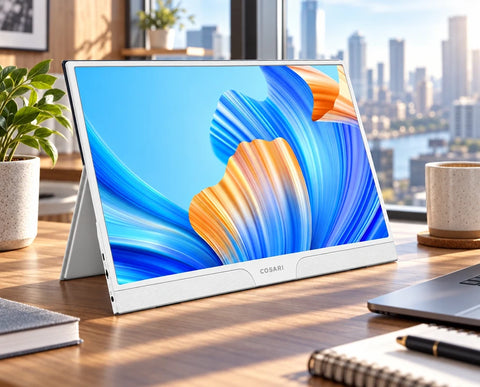 Cosari SlateView 16 Pro – 15.6" 2.5K QHD 120Hz IPS Portable Monitor with Single-Cable USB-C Power, Kickstand & Smart Cover
€129,95
Gratisversand


Bestseller
-
Bestseller

 B-Pro
€117,95
Gratisversand
-
Bestseller

 Cosari Epilator
€119,95
Gratisversand
-
Bestseller
 Cosari Pro 360°
€137,95
Gratisversand
-
Bestseller

 Klarsyn One – Fensterputzroboter
Ab €157,95
Gratisversand
-
Bestseller
 FisioRest Heated Neck Pillow
€82,95
Gratisversand
-
Bestseller

 Cosari EdgePro X1 — 3-Stage Tungsten, Diamond & Ceramic Knife Sharpener
Ab €37,95
Gratisversand
-
Bestseller
OneOdio A Series Hybrid ANC Headphones
€138,95
Gratisversand
-
Bestseller
Cosari SkyLink 360 Pro Amplified Indoor/Outdoor HDTV Antenna
Ab €37,95
Gratisversand


